
Category: INTERNET

  • The Modern Ecosystem – Technology Platforms

    The Modern Ecosystem – Technology Platforms

    Photo by Reginar on Unsplash

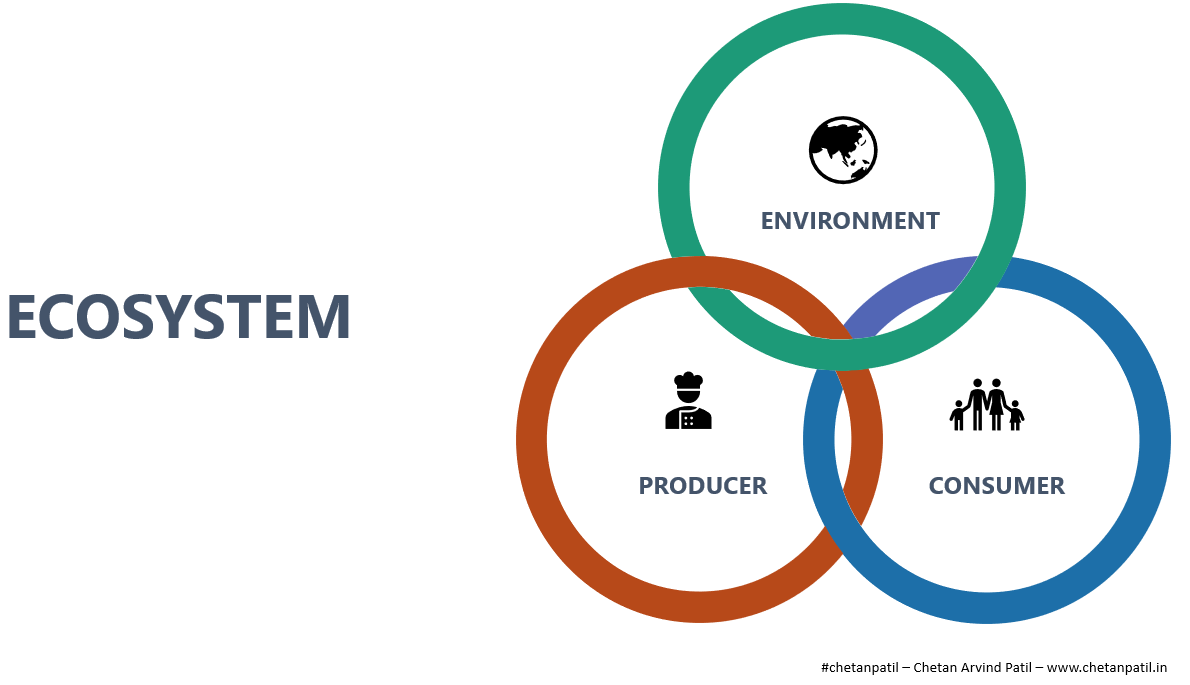
    An ecosystem requires synchronized interaction of a Producer, Environment, and a Consumer. The inter-dependency and synchronous working leads to a perfect ecosystem on which life survives.

    In the last few decades, the definition of the ecosystem has been applied to the technology world. Ecosystem development in different business segments has enabled innovations, which has in turn provided the world with new products and solutions.
    Picture By Chetan Arvind Patil

    In technology, an ecosystem is majorly reliant on the software and hardware systems. Due to the increased proliferation of internet users worldwide, the ecosystem has moved to the digital domain too.

    All the ecosystems in software, hardware, and digital domain have created different platforms for anyone with the right skills to develop elegant solutions. The connected world allows anyone to take advantage of the existing infrastructure to provide products and services directly to the intended consumer.

    However, the development of ecosystems has been limited to each of these three domains only and it is vital to understand how future modern platforms will look like.


    HARDWARE PLATFORMS

    The invention and innovation of transistors in the last half-century made possible the development of several unique hardware solutions that have taken computing to every corner of the world.

    The form factors of computing devices have changed a lot in the last two to three decades, largely due to the Moore’s law. Every year the world gets to witness incredibly compact and insanely fast computer systems.

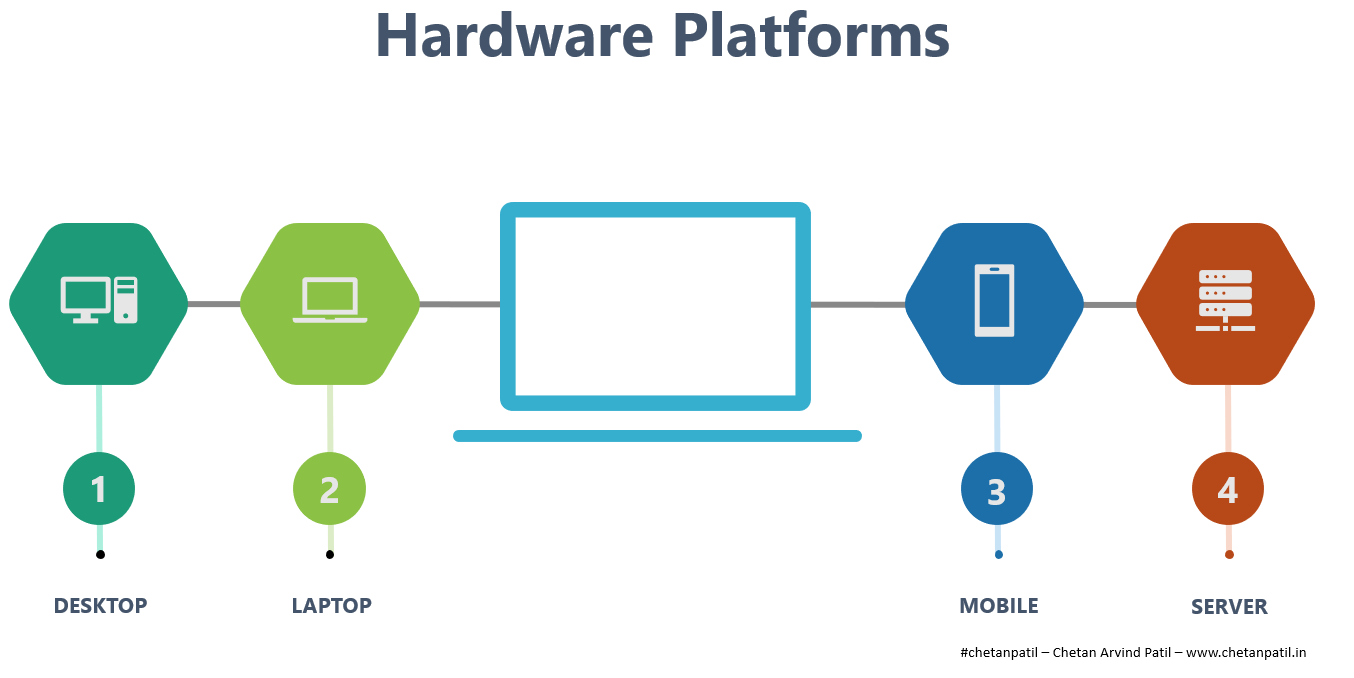
    The computers that were only supposed to be part of the research centers in the form of mainframe and servers, transformed into the smaller form factor of desktops in the 1980s and 1990s.

    The desktop allowed everyone to have their personal computers (PCs) at homes and offices. These PCs are capable of performing fast calculations, running high resolution videos and games apart from having ability to run applications that allow completion of numerous tasks in the shortest possible time.
    Picture By Chetan Arvind Patil

    In the late 1990s and early 2000s, portable laptops took over the world. Companies started innovating with advancement processors and graphics, and so were able to deliver content on the go. Businesses also became more mobile.

    Right after laptops, smartphones were launched in the early 2000s which allowed on the go connectivity. Smartphones connected the world at the click of a button. The form factor and battery life made it very easy to capture and consume information in real time.

    All these hardware devices have lead to the creation of hardware platforms that allow anyone to be connected and perform task remotely. The ecosystem of hardware platforms ensures that one can deploy ideas, software, and applications for consumers to use from anywhere on any hardware of their choice.

    The amazing innovative work being done by semiconductors, manufacturing, and assembly companies around the world is also the major reason for the existence of hardware platforms for everyone.

    With the improvement in connectivity, these hardware platforms have become the most critical part of the life. All the smart devices, computers, servers, sensors, and internet routers together drive hardware platforms, that are enabling innovation like never before.


    SOFTWARE PLATFORMS

    In parallel to the invention of hardware (transistors and electronics chips), one more innovative work was getting developed. It started with different types of programming languages and then moved to graphical user interface (GUI). A combination of both gave birth to the advanced softwares.

    Software took advantage of the computing capability of the hardware to provide solutions that allowed completion of tasks in hours, which otherwise would take days. Later on, with the introduction of operating systems, the hardware started to become more intuitive and smart.

    UNIX, LINUX, and Microsoft Windows played key role in ensuring that developers can contribute by deploying applications written for hardware systems.
    Picture By Chetan Arvind Patil

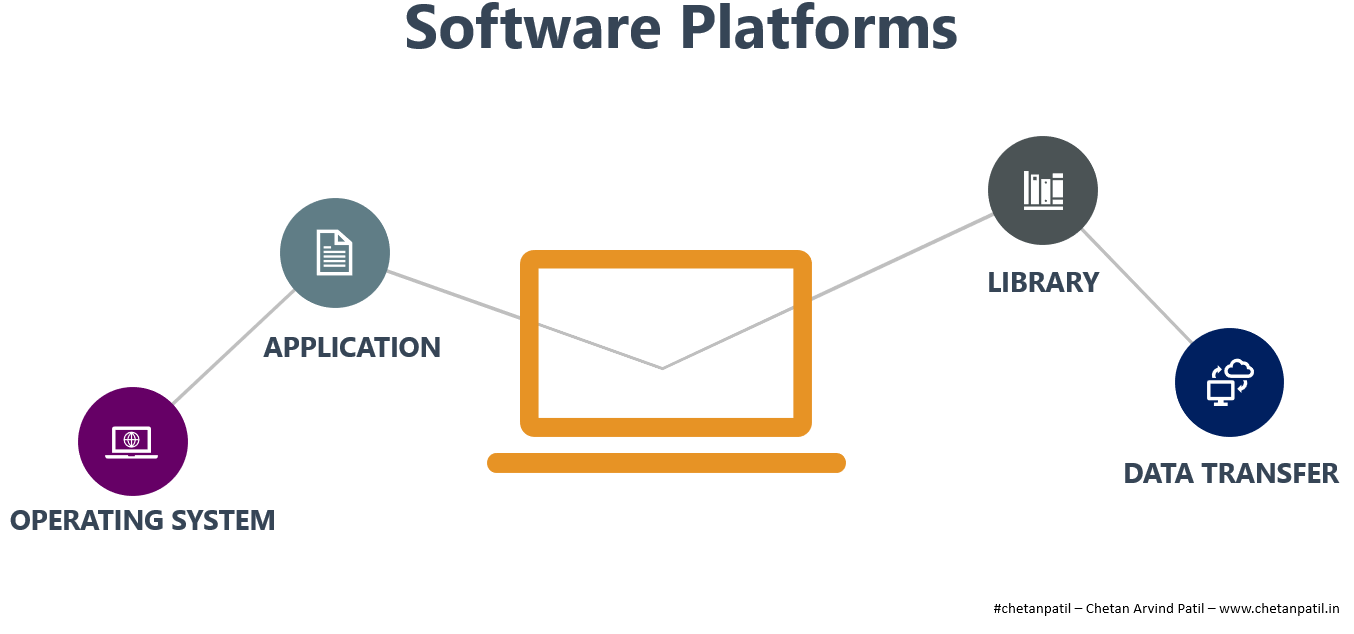
    Software innovation has also allowed access to the hardware internals with the help of drivers written using different libraries. With the synchronized working of the operating systems, libraries, and applications on top of a hardware platform enabled data transfer.

    In the pre-internet era, data transfer was largely limited to a floppy disk, hard drive, and a pen drive. However, post-internet era has been all about data packet transfer from one hardware to another with the help of secure software platforms.

    Software, which started a journey on mainframes as punch cards, now could run on the smallest possible hardware and sensors with minimal power consumption. This has lead to the creation of software platforms that allow the world to be digitally connected and is more real-time than ever.


    DIGITAL PLATFORMS

    Hardware and software have been in existence for many years. The last 40 years saw numerous innovations, form factors, and the true potential of these two computer systems. The computer solutions built with hardware and software combination helped building a nexus between people by providing enormous life-enriching smart solutions.

    Today, with the internet becoming part of everyone’s life, the opportunities for the next few decades are infinite. Already, modern services in 2020 are more data-driven which ensure that the right product is available at the right time for the right user.

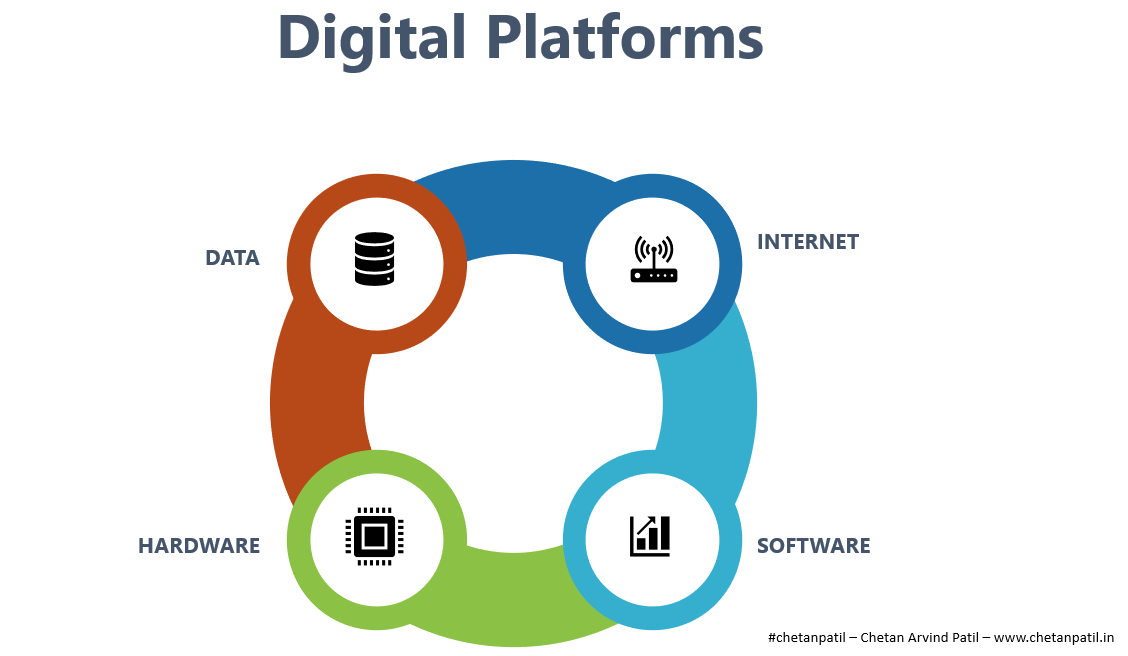
    The combination of hardwaresoftwaredata, and the internet has provided a new platform to the world, called digital platforms.
    Picture By Chetan Arvind Patil

    Digital platforms are built on top of the hardware and software, but it differs from hardware and software platforms due to the additional use of data and the internet to provide over the top product and services. With the help of the internet, products and services can be optimized and delivered remotely.

    The data points generated with the increased usage of the internet allows any business to adapt to the consumer’s needs by accessing demand based on data points from different consumer behavior.

    As the world moves towards more advanced wireless solutions, the innovative solutions on top of the digital platforms are only going to increase.


    TECHNOLOGY PLATFORMS

    In computer programming, the concept of Application Programming Interface (API) is so powerful that it gets overwhelming to realize the elegance of solutions it helps to implement.

    In short, API allows access to the services with the help of the software commands. For example, consider the payment gateway on an eCommerce website using a third party payment solution to process payments. With the help of API, the consumers can pay using different payment modes while the eCommerce website need not be worried about the processing and security of the payment details, as it relies on the secure API from by the third party.

    Similarly, there are other solutions in the market that are API driven.
    Picture By Chetan Arvind Patil

    The technology platform applied using API will play a crucial part in realizing the one world market,

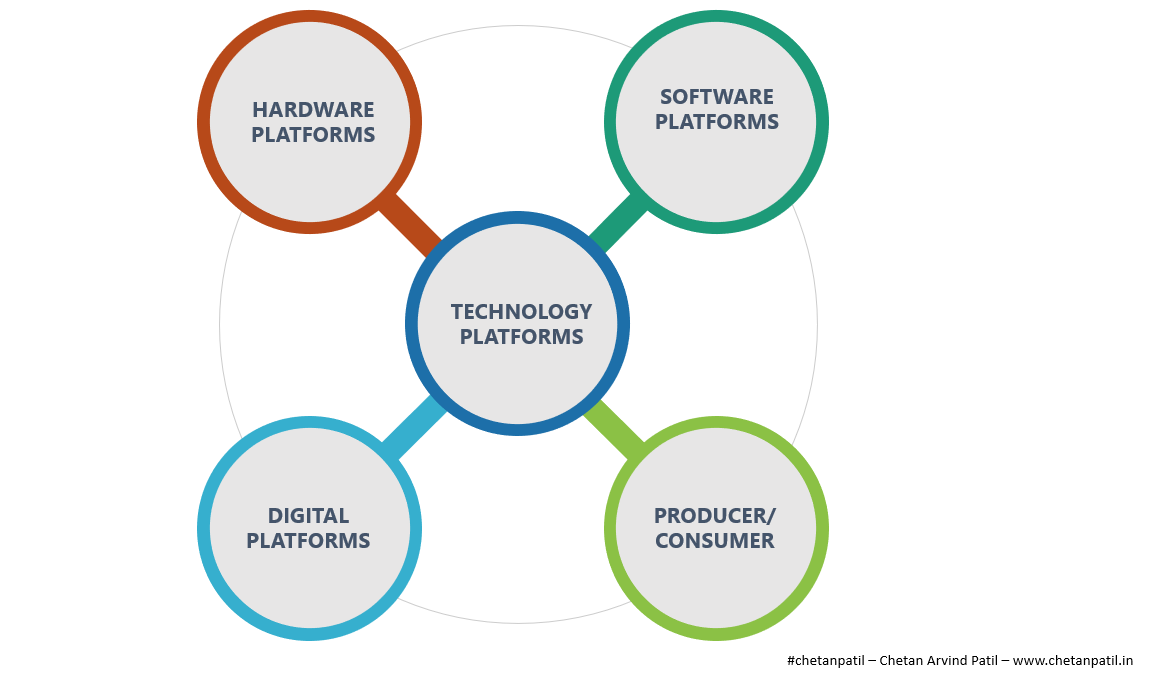
    Technology platforms are a combination of hardwaresoftware, and digital platforms with the added element of a producer and a consumer. It is an open platform that has consumers on board with producers who have become capable of selling products without investing capital in the underlying technology.

    Technology platforms also allow single or combination of other platforms to exists and thrive. The creators of the technology platforms themselves will not be able to make full use of it until and unless the platform itself is open to both the producer and consumer.

    One of the major drawbacks of technology platforms will be the amount of time and capital expenditure it will take to create. Not every company will be able to develop the technology platforms, and thus their number will be limited.


    It is fair to say that the technology platforms were already in the making for the last few decades. Today, these platforms are more relevant than ever. Mobile networks is one example of such platforms that allow hardware to digital platforms creation.

    It will be exciting to see how the next decade with the proliferation of high-speed wireless networks will drive the technology platform innovation.


  • Two Factor Authentication – Hardware vs Software

    Two Factor Authentication – Hardware vs Software

    Photo by NeONBRAND on Unsplash

    Two factor authentication (2FA) is a type of multi-factor authentication that allows users to secure any type of account using a second authentication apart from the regular password protection. 2FA has been around for a long time and received mixed reaction from security researchers.

    With growing number of internet and smart device users it is becoming increasingly important to take 2FA seriously. Let’s take a quick look at types of 2FA, which I have separated into hardware and software depending on where the second authentication code comes from.

    Software 2FA:

    • Software 2FA (S2FA) is straightforward. Any website which supports S2FA will first walk user through account creation which requires password (first authentication). Then it will provide three options:
      • First: Register cell number in order to receive unique code via SMS or a phone call whenever a login attempt is made. Only after entering this unique code user can access the account.
      • Second: Application will ask user to install smartphone app like Duo Security or Google Authenticator. Using the app scan the QR code shown on screen and this will register account with the app. On every login attempt this app will generate an unique code that needs to be entered after password authentication. This works even without internet connection.
      • Third: Skip both the options and have only single authentication mode i.e. password.
    • If the user has S2FA and doesn’t have cell network or smartphone with him/her during login attempt, then backup codes can be used.
    • These codes can be generated using account settings. Each backup up code expires as soon as it is used. For best practice, always generate and save new ones as soon as first one is used.
    • Below video explains above scenario:

    • Pros of S2FA:
      • Protects account from hackers.
      • Allows users to trust the website or application providing such service.
    • Cons of S2FA:
      • I personally think S2FA is very complex process for people who aren’t good with computers.
      • For Android devices SMS based 2FA (the easiest to setup for anyone irrespective of age or fluency in using smart devices) is most vulnerable due to the Android feature that lets any application read SMS stored in the messaging app. Thus allowing hackers a backdoor to these SMS codes.
      • Most likely this is the reason why banks don’t trust this option.

    Hardware 2FA:

    • Hardware 2FA (H2FA) is very similar to S2FA, however the 2FA is generated using a hardware rather than a software.
    • There different ways to setup H2FA:
      • First: Many laptops for long have provided finger print reader option. If fingerprint reader is available, then for the account with this feature user can register biometric to login as 2FA. This isn’t widely used for online websites, but mostly for logging into hardware devices like smartphone or PCs.
      • Second: From laptops to smartphones we have high resolution cameras. Many companies provide APIs that developers can use to access cameras as 2FA. For Apple devices there is Face ID. Microsoft provides Windows Hello. Face recognition for Android is under development. This option uses face as 2FA with help of camera.
      • Third: Security key is a piece of hardware that has electronic chip which has unique code inbuilt. Any application that supports 2FA using a security key will look for the registered key. If the key is found in USB port or via Bluetooth connection, then user will be allowed to access the application. Google strongly supports this option for enterprise based on their in house research.
    • If H2FA is setup and user doesn’t have access to 2FA devices, there is an option to use S2FA. Application for sure will force user to setup S2FA as a backup during H2FA setup.

    • Pros of H2FA:
      • Must more robust than S2FA.
      • Difficult to fish user as the hardware device has to be nearby.
    • Cons of H2FA:
      • Costly for regular user.
      • Many dislike carrying another hardware even though it can act as key chain.

    Future of 2FA:

    • I am in strong favor of H2FA. Instead of having to carry another piece of hardware, I would prefer if these keys can somehow find place in motherboard. This way applications can access and register keys using APIs. I understand this will not allow portability, but this idea can be improved.
    • Face ID is really good along with Windows Hello. With Google gearing up to bring face recognition to Android, it is fair to say that this is going to be the de-facto in near future when it comes to S2FA.
  • Online Identity

    Online Identity

    Photo by Elijah O’Donell on Unsplash

    World population has reached 7.5 billion. In 2017 about 3.5 billion users were active on internet, that is approximately 50% of world population. If internet was a country, it will be twice the size of the most populated country in the world. Anyone who is on internet can literally find any details about anything at click of a button.

    I think this simple statistic should be good enough for anyone who has anything positive to share to come online, write something and share with potentially 3.5 billion customers. The reason for this blog is to share simple steps on how to get online identity with the hope that it can help someone looking to get one.

    What Is An Online Identity?

    Online identity as per my definition is go to place on internet which users can visit and find more about what a particular individual has to offer. For example – this website is where I would expect people to come and then go onto other platform based on where they would like website feed to be seen. If one is really good at taking pictures, go ahead and sign up with Unsplash or Flickr. For academia there is Google Scholar or Mendeley.

    People like Troy Hunt take it to next level by making living out of it. It’s not always essential to have a dedicated website, one can take specific platform like LinkedIn or Quora and master it to a level that he/she gets awarded in form of LinkedIn Influencer or Quora Top Writer. This not only helps build profile but in process allows building of network.

    Are There Any Specific Steps To Get Online Identity?

    No. However, I suggest a process in following order:

    • Domain:
      • Grab a good domain name. If you can combine your first and last name and get a .com, then take it without thinking twice. Otherwise you can choose from TLDs specific to your country.
    • Website:
      • There are tons of DYI website builder but always consider that if you stuck with writing in form of blogs or articles, then it will grow and one day you will have to move to a dedicated hosting service.
      • Hence, I suggest signup with WordPress as it will be super easy to port it to different service if required. I have my own server but that’s not something everyone needs.
    • Analytics:
      • Though many DYI and WordPress will provide inbuilt traffic analytics. I would strongly suggest to setup Google Analytics and link it to your website. This way you can analyze and improve content based on internet traffic.
      • Even social media profiles like Twitter, Facebook, LinkedIn and Google Plus provide free traffic details at no cost. You just need to find how to enable it.
      • There are also tons of third party services that can track and analyze how your social profiles are performing and the ROI.
    • Social Media:
      • This goes without saying. After you have a website and all is set as per your liking, you need to get at least following must have social profiles.
      • Make sure your <social-website>/username is such that it matches up with your name for easy no brainer search engine optimization.
      • Must Have:
        • Reddit
        • Twitter
        • LinkedIn
        • Facebook
        • Google Plus
        • StackExchange
      • For Artist:
        • Vimeo
        • YouTube
        • Pinterest
        • Unspalsh
        • Instagram
        • SoundCloud
      • For Writers:
        • Quora
        • Medium
        • GoodReads
      • For Researchers:
        • PLOS
        • Scopus
        • ORCID
        • Mendeley
        • GrowKudos
        • ResearcherID
        • ResearchGate
        • Academia.edu

    First three steps to online identity depends on whether or not you need dedicated website to share. But I think social profiles are must and very easy to get.

    What If I Don’t Have Any Online Identity?

    Nothing. You will move on, world will move on. Online identity are smart moves for professionals who rely heavily on skills like software, hardware, paintings, writing, dancing, research, journalism and any type of work that demands work portfolio. Without saying it is must for businesses from any domain.

    It takes really long time to get your profile noticeable to even fraction of active internet users. So it is very important to decide early whether or not you want to get on to the journey of online identity.

  • Time We Have Delete Button On All Websites

    Time We Have Delete Button On All Websites

    Photo by Devin Avery on Unsplash

    Since last one month, I started logging the websites I visit and use, mostly those which require user to login. To my surprise I have account at over 50+ different websites. The number may be much more, considering I wasn’t able to recall all those websites where I created account just because that was the only way to get in, and later on never used it. This may be the case with many internet users.

    What Is The Problem?

    Well, the problem is that 90% of these 50+ websites I visit don’t have SSL and some of these send plain text password reset or email the password itself. Showcasing there inner genius in handling user sensitive data. I have taken care not to repeat the mistake of using dump passwords, but that doesn’t help much, as intruders can get in and hit these websites hard. Many of these don’t care much about encryption, mostly because they don’t have expertise in it or may be it cost a lot to hire someone to do it. There should be a way to handle the user sensitive data on websites that don’t spend much effort in doing their bit.

    What Is The Solution?

    The first solution I see is to delete the account, but the problem here is many of the websites I/we log into don’t have the option of “delete/wipe”. If you stretch a lot, websites may provide you with deactivation of account which again doesn’t help. Ultimately you end up being tied with a particular website which you may never use again and the worse happens when someone hacks them.  If you are wondering why will any one care about websites that most likely doesn’t get much visitors then you are wrong. Such websites are much more vulnerable as they can be easy targets and when you extend such intrusion to many other similar websites you get a very large pool of user data. So, please give me that delete button.

    The second solution is to make use of Auth APIs. Google, Facebook are the two most popular and widely used websites. Let them take care of logging in and out of the accounts. If a user removes app authentication for logins, it will also remove/wipe the data automatically. This way you don’t get into the hassle of managing the user account creation and maintenance activities. May be you tap into the social sphere by using such Auth APIs. This isn’t a straightforward solution, but doable.

    The third solution would be to imbibe encryption by default, both on the client and server side. I am not sure if this is the case in today’s databases and other back end tools. But if software has a functionality that by default embeds encryption, then at least 99% of the user data is safe. Getting SSL is costly, and not many opt for that, but if open source projects like WordPress can find a way to develop websites with encryption embedded everywhere, I think that should help. I think Let’s Encrypt is a good start.

    The fourth solution is the simplest just don’t open account if you aren’t able to establish trust on a particular website. Look for SSL and if you are an experienced internet user you will get a hint whether to create account with the website or not. Also, limit the urge to use every website you get hold of.

    Pro Tip: If you want to keep track of all data breaches them do follow Troy Hunt and subscribe to Have I Been Pwned.